
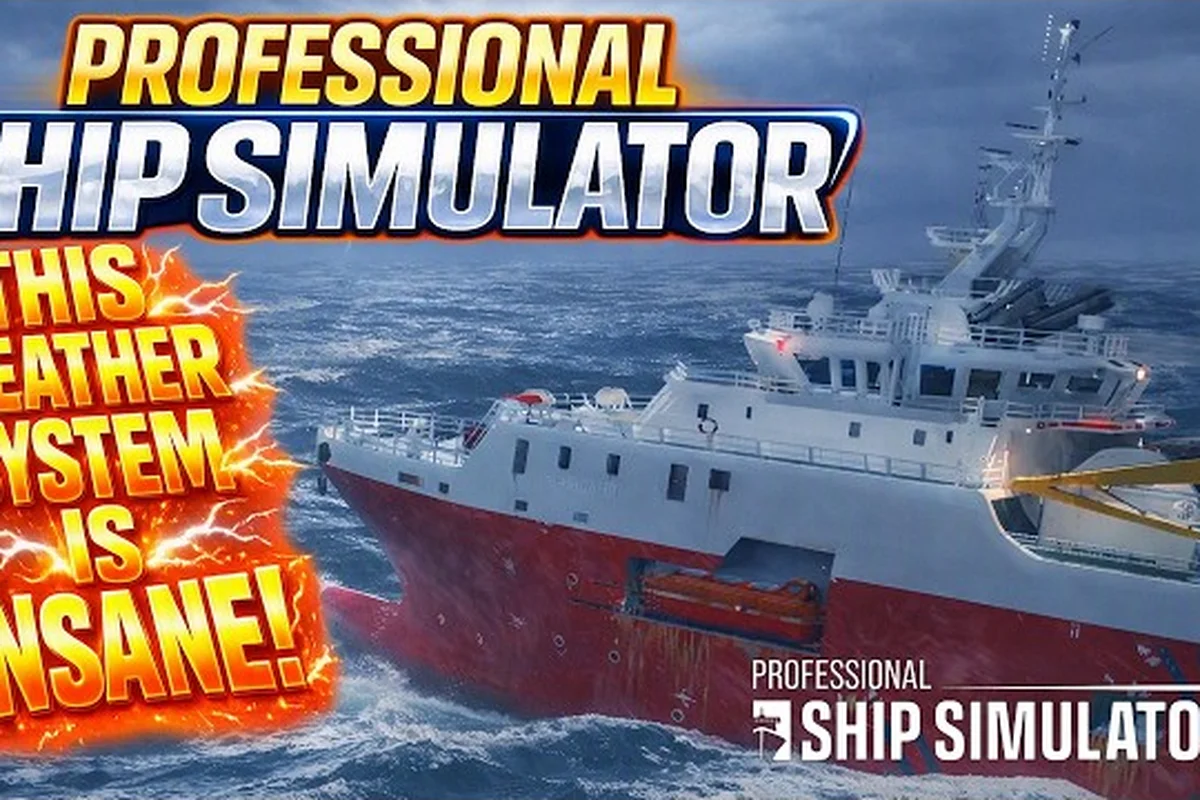
Professional Ship Simulator rough sea handling separates skippers who keep their hulls dry from those who roll sideways into a buoy. The moment swell height climbs past two meters, every throttle input, radar reading, and steering correction starts fighting against the ocean. Mastering that fight is the difference between completing a charter and drifting back to port with cracked fittings and a bruised crew.
The trick is not brute force; it is reading the water, the weather penalties, and the ship's own limits before the worst wave hits. The breakdown below walks through how swells, wind, and storms layer on top of each other, what the simulator actually does to your speed and stability, and which control habits keep a vessel upright when the horizon tilts.
According to nautical reference material, the effective range of a typical marine radar system spans roughly 6 to 72 nautical miles depending on the antenna height and power output, which is why operators learn to interpret echoes against the rolling and pitching background of rough sea states as described on the NauticXP radar wiki.
Reading Swells, Waves, and the Rolling Rhythm
The ocean in Professional Ship Simulator is not a flat texture with bumps; it is a layered system where swell, wind waves, and local chop stack on each other in real time. A long-period swell might heave the entire ship by a meter every eight seconds, while a shorter, steeper wave on top can pitch the bow skyward without warning. When both align against the hull, even a 40-meter cargo vessel rolls far enough to rattle loose cargo.
| Sea State Component | Visual Cue | Hull Response | Handling Implication |
|---|---|---|---|
| Long swell | Slow rise and fall over 6-12 s | Gradual heave, light roll | Adjust course early; cannot outrun |
| Wind waves | Whitecaps, 2-4 s crests | Snappy pitch, sudden roll bursts | Reduce speed to keep bow from stuffing |
| Cross swell | Two wave trains at angles | Cranky, unpredictable roll | Heel ship slightly into dominant wave |
| Confused sea | No clear pattern, choppy peaks | Random yaw and pitch | Slow to bare steerage; ride it out |
Cross swell is the silent killer in coastal routes where tidal current meets incoming weather. A vessel heading north can be hit by a residual east-west swell from earlier weather, producing a corkscrew motion that no single rudder correction can fix. Reducing speed to 5-6 knots and steering 10-15 degrees off the original track lets the bow cut through cleanly instead of slamming into wave faces.
How Period and Height Combine
The simulator's wave model uses period as a multiplier on top of wave height. A 1.5 m wave at 8 seconds feels gentle; a 1.5 m wave at 4 seconds feels violent because the ship does not have time to settle between crests. According to community data logged by players running repeat transits near the Hamburg Approaches, the same wave height at half the period increases perceived roll by roughly 30-40%.
-
Long-period swell (>7 s): Heave dominates; pitch is minor
-
Mid-period (4-7 s): Pitch and roll both noticeable; speed must drop
-
Short-period chop (<4 s): Violent motion; rudder authority drops fast
Skippers who track the visible period by watching a single crest and counting seconds to the next one tend to anticipate the next roll a full second earlier than those reacting to the roll itself, which is often the difference between taking a wave on the bow and taking it broadside. The habit is cheap to build: fix on a point of the horizon, time three consecutive crests, and divide by three. That gives you a working period to hold in your head while you steer, and it tells you the moment to cut throttle as the period shortens.
Weather Penalties and Their Effect on Ship Control
Professional Ship Simulator weather penalties are applied as multipliers to speed, visibility, and steering response. Wind against the bow cuts effective throttle; wind on the beam multiplies roll. The penalties are not cosmetic; they are a direct tax on every decision you make in a heavy weather crossing.
| Weather Condition | Speed Penalty | Steering Response | Visibility | Roll Multiplier |
|---|---|---|---|---|
| Light breeze (F3) | 0-5% | Normal | Full | 1.0x |
| Moderate wind (F5) | 5-12% | Slightly sluggish | Full | 1.1-1.2x |
| Fresh wind (F7) | 12-20% | Noticeably slower | Slight haze | 1.3-1.5x |
| Gale (F9) | 20-35% | Heavy weather helm | Reduced | 1.6-1.9x |
| Storm (F11) | 35-50% | Difficult to hold course | Poor | 2.0-2.4x |
| Violent storm (F12+) | 50%+ | Constant correction | Near zero | 2.5x+ |
The roll multiplier is the stat that catches new captains off guard. A vessel that rolls 8 degrees in calm water will roll 16-20 degrees in a storm, often exceeding the angle where loose deck cargo shifts or where water starts coming over the gunwale. Once that angle is reached, free surface effect from any water on deck makes the next roll worse, building toward a capsize risk that the simulator models according to community testing in shared storm scenarios.
Where Penalties Stack Worst
-
Head wind + head sea: Speed collapses, but pitch stays manageable
-
Beam wind + beam sea: Maximum roll; rudder feels "heavy"
-
Following wind + following sea: Surf-riding risk; broaching in stern quarter
-
Wind against current: Steep, breaking waves; worst-case for hull stress
Heaving to — typically 60-70 degrees off the wind with reduced RPM — is the standard response once wind hits F9 and the bow starts yawing. The tactic trades forward progress for stability, and according to the official Professional Ship Simulator knowledge base, the AI captains revert to a similar low-speed heading when dynamic weather mode is active.
Radar, AIS, and the Fog of a Storm
The radar on the bridge is your most reliable sensor once the horizon disappears. Professional Ship Simulator's radar page includes a sea filter that, according to the official knowledge base, "on rough sea or strong roll / pitch angles of the ship the radar system is no longer able to provide a clear picture." Turning the filter on is not optional in a storm; it is the only way to keep the screen readable as wave crests scatter the signal.
| Radar Setting | Use Case | Trade-off |
|---|---|---|
| Sea filter OFF | Calm to light seas | Best small-target detection; cluttered in rough weather |
| Sea filter ON (low) | Moderate wind, short chop | Filters wave returns; loses small buoys |
| Sea filter ON (high) | Storm conditions | Clean screen; may miss small fiberglass hulls |
| Rain clutter | Active precipitation | Separates rain from solid returns |
| Range 0.25-4 nm | Coastal and harbor work | Short pulse for close targets |
The radar range is also adjustable from 0.25 to 4 nautical miles, either by keyboard or by clicking the HUD radar screen directly. In a Professional Ship Simulator storm, dropping range to 0.75 or 1 nm sharpens the picture and helps you spot approaching traffic before CPA warnings start firing. Combined with the AIS overlay that displays target vessels on the same screen, you can keep situational awareness even when the bridge windows show nothing but spray.
Combining Radar with the Horn
AI captains in the simulator are not aggressive at collision avoidance — community data describes them as "trained at a quite low level." The supported workaround is to use the ship's horn when AIS shows a CPA warning, because the AI traffic will hold position for a few seconds. In a storm this gives you a window to pass astern without forcing a sudden rudder correction that compounds the roll.
For skippers who want a deeper breakdown of weather radio and forecast reads, the weather broadcast guide covers how to listen on channel 20 and read the dynamic forecast from the pause menu. Those two habits are worth drilling in calm weather, because in an F9 crossing you will not have spare attention to learn the interface under pressure. The guide also explains how the trend arrows and barometer reading combine to signal whether a front is still building — the hardest judgement to make from the helm.
Steering Technique in Heavy Weather
Once the wind pushes past F7, the rudder itself becomes a liability if used aggressively. A hard turn at 20 degrees of rudder in a beam sea is one of the fastest ways to broach, because the ship's lateral momentum fights the new heading. The skill is to plan turns two or three wave cycles ahead and execute them with small, repeated corrections rather than one sweeping input.
| Technique | When to Use | Expected Effect |
|---|---|---|
| Heaving to | F9-F11, any direction | Drifts downwind; minimal stress |
| Riding on the bow | Head sea, slow speed | Bow rises cleanly; less slamming |
| Running before the sea | Following sea, F10+ | Faster; risk of broach on stern quarter |
| Lying ahull | No engine, survival mode | Drift beam-to; can roll excessively |
| Sea anchor | Disabled vessel | Slows drift; aligns bow to weather |
Lying ahull — the technique of stopping the engine and letting the ship drift — looks calm but can produce dangerous roll in a strong beam wind. The recommended alternative for survival in a Professional Ship Simulator storm is to maintain bare steerage way (around 3-5 knots) with the bow at 50-60 degrees off the wind. The vessel's forward motion stabilizes the rudder, and the angled bow deflects spray instead of catching it broadside.
Speed Settings by Direction
| Direction Relative to Wind | Recommended Speed | Why |
|---|---|---|
| Head sea | 60-70% of max | Prevents bow stuffing, reduces pitch |
| Beam sea | 50-60% of max | Cuts roll amplitude |
| Following sea | 70-80% of max | Stays ahead of crests; avoids surf-ride |
| Quartering sea | 65-75% of max | Balanced compromise |
These percentages shift as the swell period shortens. When period drops below 5 seconds, even quartering speeds need to be cut by another 10-15% to keep the bow from being lifted and thrown sideways. A more complete weather-mode reference sits in the weather modes overview, which lists how dynamic, real-time, and storm-front modes alter these base numbers.
Practical Drill: A Storm Crossing Step by Step
Working through a real crossing is the fastest way to internalize these settings, because the numbers only become intuitive once you feel the bow lift under you. The drill below assumes a 30-meter coastal freighter leaving a sheltered harbor and running into a forecast F8 with 2.5 m waves at 6-second period — a combination that sits squarely in the band where steering response starts to lag and the roll multiplier climbs toward 1.5x. Fly it once in a throwaway free-roam session, then repeat it with the weather panel open so you can watch the penalty figures move as you change heading.
-
Check the broadcast on channel 20 and the ship's weather panel for trend direction.
-
Reduce to 60% RPM before clearing the breakwater so speed is already under control when swell begins.
-
Set radar to 1.5 nm range with sea filter on low to filter wave returns.
-
Steer 30-40 degrees off the original track to take the swell on the bow quarter instead of dead ahead.
-
Trim the bow slightly into the dominant wave train to reduce yaw.
-
Watch the roll indicator and ease rudder corrections to under 10 degrees per input.
-
Cross the shipping lane at 90 degrees to limit beam-on exposure near traffic.
-
Re-evaluate every 15 minutes; reduce speed further if period drops below 5 seconds.
| Phase | Time on Task | Critical Check |
|---|---|---|
| Pre-departure | -10 to 0 min | Weather broadcast, radar test |
| Harbor exit | 0-10 min | Speed under 8 knots, AIS active |
| Open water | 10-60 min | Bow angle 30-40 deg off wind |
| Mid-crossing | 60-180 min | Roll under 15 deg, no free surface |
| Approach | 180-240 min | Speed trimmed for harbor entry |
The drill is not about reaching a destination fast; it is about making the same decisions consistently so the boat does not fight you. Skippers who finish these drills typically reach the next rank bracket faster because weather XP rewards survival and clean crossings, not flat-out sprint speed — a curve that the rank and XP guide covers in detail.
Frequently Asked Questions
What counts as "rough sea" in Professional Ship Simulator?
Rough sea generally starts at Sea State 5 — when sustained wind reaches F7 and significant wave height crosses 2 meters. Below that, roll penalties are minor; above F9, the simulator's weather penalties begin compounding, and standard handling habits start breaking down.
Does weather affect docking the same way it affects open-water handling?
Yes, but with tighter margins. A vessel rolling 10 degrees in open water may roll 15-20 degrees in the harbor approach because of bank effect and reduced water depth, and any approach tutorial — such as the docking walkthrough — assumes a calm-state baseline that has to be recalculated in F7+ conditions.
How do I know when the storm is worsening vs. holding steady?
Listen to channel 20 for the weather broadcast, watch the ship's panel for trend arrows, and track barometer pressure if your bridge display shows it. A falling barometer plus shortening wave period means conditions are still building; flat pressure with stable period means the storm has plateaued.
Can I lower the storm difficulty mid-mission?
In most scenarios you can pause and switch to a custom weather preset, but the official knowledge base notes that "on some scenarios and within the campaign mode, changing the weather will not be possible." Plan your fuel and routing for the worst forecast you can see before departure, since dynamic weather can shift the storm front toward your track.
Why does my ship broach in following seas even at low speed?
Broaching in a following sea happens when a wave crest catches the stern and slews the hull sideways. The fix is to shift the bow 10-20 degrees off the wave train — never run directly down the back of a steep wave at low speed. The rudder needs forward motion to bite, and low speed in following seas gives the rudder nothing to push against.