
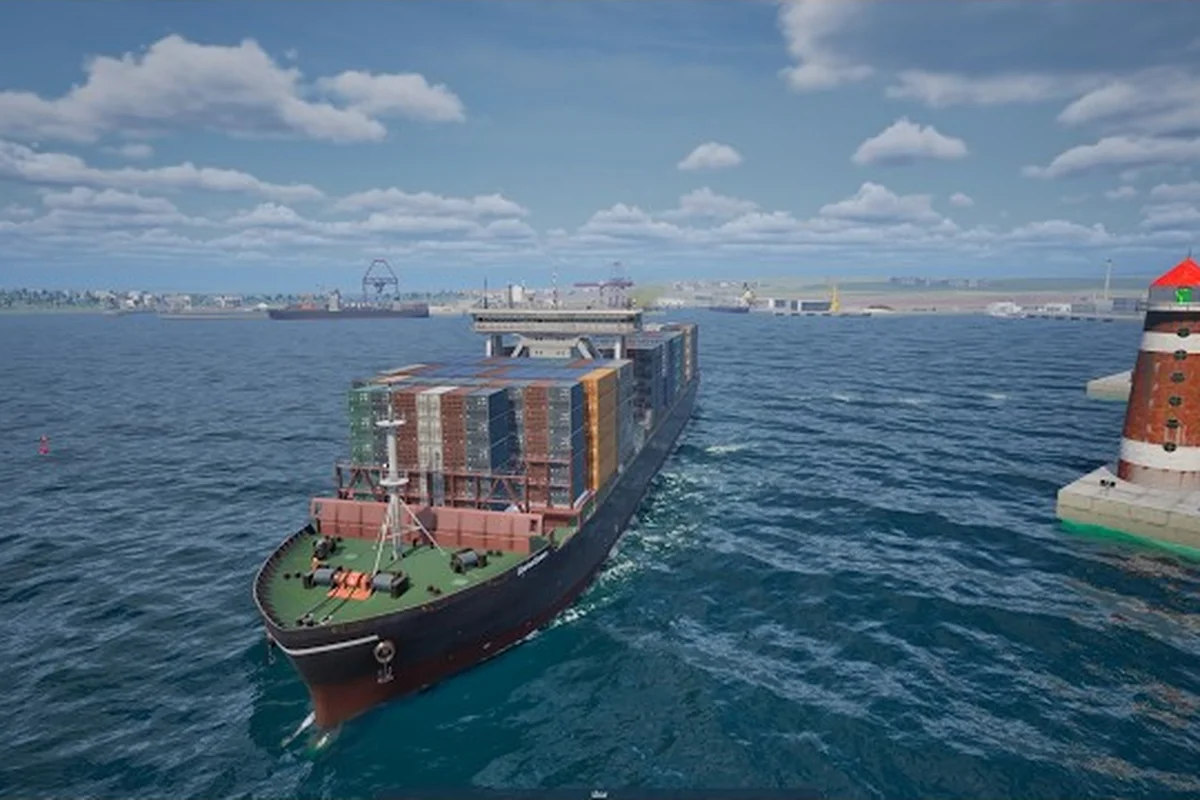
A working Professional Ship Simulator trawler guide starts long before you ever leave the harbor, because trawling in PSS rewards players who plan routes, manage a small fleet, and stack the right upgrades before casting off. According to the official NauticXP Early Access build notes, the Medium Trawler is still in sea trials and has not yet joined the Early Access fleet, so the trawler experience currently centers on lighter vessels and the addon ecosystem while players wait. This guide maps fleet management, route planning, ship upgrades, and how addon ships — including yachts — slot into your career without burning credits on the wrong hull.
Understanding the Trawler Role in Professional Ship Simulator
Trawling is one of the most loop-driven careers in Professional Ship Simulator, and the role blends short sea crossings, fish hold management, and tight berthing windows at small harbors. The current Early Access build, Release Candidate 1717, ships the Small Trawler, while the Medium Trawler and Container Feeder are still listed as pending sea trials. That means the working trawler today is the smaller hull, and the medium hull is a known upcoming addition rather than a content drop you can already chase.
For most players, the small trawler is the first fishing job you take from a coastal harbor. It teaches the three habits that scale into every larger vessel: planning a route before ignition, monitoring hold and fuel state, and returning to a harbor that matches the vessel's draft. The trawler role is also a useful way to bank credits early because the loop is short, the risk of getting caught far from dock is low, and the missions are forgiving when you are still learning ship handling.
Trawler Profile vs Other Starter Vessels
The trawler is not the fastest ship, and it is not the largest, but it is the most self-sufficient starter for players who want a steady income instead of a sprint toward bigger contracts. The table below compares the working trawler role with the other common Early Access starters so you can see where it actually fits in your fleet.
| Vessel Role | Primary Job | Typical Loop Length | Crew Need | Best Harbor Match |
|---|---|---|---|---|
| Small Trawler | Fishing, short cargo runs | 15-40 minutes | Solo friendly | Coastal harbors, shallow berths |
| Pilot / Tender | Harbor transfers, pilot duties | 5-15 minutes | Solo | Any harbor with pilot station |
| Tugboat | Docking assist, barge moves | 20-60 minutes | Often paired | Industrial harbors, shipyards |
| Yacht (addon) | Leisure cruises, roleplay | Variable | 1-4 players | Marinas, scenic harbors |
Why the Trawler Is a Fleet Anchor
A trawler works as a fleet anchor because it produces a predictable credit stream that funds every other ambition in the game. Players running a small fleet of two or three vessels often keep one trawler on a repeating loop while the other ships take longer, higher-paying contracts. The trawler is also the most natural ship to leave running while you are learning the docking and berthing workflow, because the harbors it visits are usually small and forgiving, and the penalty for a slow approach is lower than at a container terminal.
Building a Small Fleet Around the Trawler
Professional Ship Simulator fleet management is less about owning every ship in the dry dock and more about running the right two or three hulls for the harbors you actually visit. The career system, documented in the Career wiki page, lets you purchase additional vessels once licenses unlock them, and the dry dock is where you can swap roles when a contract calls for a different hull.
Most players start with the small trawler because it is the cheapest path into the dry dock, then add a second vessel once the first trawler has paid for itself. A common early fleet looks like a trawler for steady income plus a pilot or tender for fast harbor transfers, which lets you chain contracts without losing time on long repositioning trips. The Medium Trawler and Container Feeder are confirmed as upcoming, so the medium hull is worth reserving credits for rather than spending everything on the first two ships.
Fleet Composition Patterns
There is no single correct fleet, but a few patterns show up in community reports from players running 10-20 hour careers. The table below lists the three patterns that come up most often, along with the kind of player each one fits.
| Fleet Pattern | Ship 1 | Ship 2 | Ship 3 (when affordable) | Fits This Player |
|---|---|---|---|---|
| Income Anchor | Small Trawler | Pilot / Tender | Medium Trawler (when released) | Players who want steady credits |
| Mixed Cargo | Small Trawler | Container Feeder (when released) | Tugboat | Players who want long contracts |
| Coastal Cruiser | Small Trawler | Yacht (addon) | Pilot / Tender | Players who like scenic roleplay runs |
Dry Dock and License Timing
The career page notes that license checks unlock new vessels for purchase, so the order in which ships appear in the dry dock is not random. Players who focus on trawler missions first tend to unlock fishing-related licenses faster, which shortens the path to a second vessel of the same family. A practical timing rule is to keep the trawler on loop until you can afford the next hull outright, because buying a second ship on credit ties your trawler income to a hull you may not need yet.
Route Planning, Waypoints, and External GPX Files
Routes are the backbone of any trawler career, and Professional Ship Simulator supports external route files in the .gpx format, which is loaded through the Ship Panel 2 interface. The routes are placed in [DiskLetter]:\Users\[YourUsername]\AppData\Local\NauticXP\Saved\ShipRoutes\ and then loaded from the ship panel, which means you can plan a route in an external program like OpenSeaMap or OpenCPN and drop it into the game without rebuilding waypoints by hand.
For trawler work, the most useful route is a short loop with a fishing ground, a turning point, and a return-to-harbor leg. A loop of 8-12 waypoints is usually enough for a coastal trawler, because anything longer eats into the time window for selling the catch before the harbor's active berths fill up. Release Candidate 1717 also added a higher-resolution nautical chart for the Rügen sea area, plus improved map and waypoint controls, so coastal routes around Rügen are a good place to build your first saved route.
Route Planning Checklist
A short checklist keeps your routes repeatable, and it is worth saving one or two good templates before you commit to a long career run. The list below is the order most experienced players follow when they sit down to plan a new trawler loop.
-
Open the ship panel and confirm the route editor is on the vessel you intend to sail.
-
Drop a starting waypoint at the dock where you want to depart from.
-
Place a fishing ground waypoint in shallow water near a coastal harbor.
-
Add a turning waypoint at the far end of the loop, far enough to avoid reversing through the same track.
-
Insert intermediate waypoints to thread the route past navigational hazards noted on the chart.
-
Save the route as a
.gpxfile in the ShipRoutes folder so it persists between sessions. -
Test the loop once on a short contract to confirm time, fuel, and hold capacity line up with the mission.
Waypoint Discipline on the Water
Waypoint discipline matters more than waypoint count, because the autopilot and compass systems will gladly follow a poorly planned route straight onto a sandbar. A good rule is to keep at least 200 meters between waypoints in open water and to slow down at every turning waypoint, which gives the ship time to settle before the next leg. Players who run repeating trawler loops also tend to save a separate "fast return" route that skips the fishing ground and heads straight for the harbor when the hold is full or weather turns.
Ship Upgrades, Addons, and the Yacht Path
Professional Ship Simulator ship upgrades are the most common reason a fleet underperforms, because new players often spend credits on cosmetic addons before they fix the mechanical bottlenecks. The trawler family benefits most from upgrades that affect hold capacity, fuel efficiency, and engine reliability, because those three stats determine how many loops you can run before a forced harbor stop. The Early Access release notes mention audio improvements across the fleet, including glass, smoke, effects, and ship sounds, which is a sign that the developer is actively tuning the experience for each hull.
The yacht sits in a different lane. A Professional Ship Simulator yacht guide mostly covers leisure cruises, marina handling, and the addon ecosystem, because yachts in PSS are typically third-party vessels rather than stock hulls. That is also where the Professional Ship Simulator custom ships and Professional Ship Simulator addon ships topics come in, since yachts and other specialty vessels usually arrive through the workshop rather than the dry dock.
Upgrade Priority for a Working Trawler
The upgrade order below is the one most players settle into after the first 5-10 hours of career play. It is conservative, but it is the order that keeps a small trawler profitable through every season of Early Access.
| Priority | Upgrade Slot | Why It Matters | Rough Impact |
|---|---|---|---|
| 1 | Engine reliability | Reduces mid-loop breakdowns | Fewer forced returns |
| 2 | Fuel tank / efficiency | Extends route length | More fishing ground options |
| 3 | Fish hold capacity | More cargo per trip | Fewer harbor runs |
| 4 | Radar / Sonar | Better hazard awareness | Safer night work |
| 5 | Autopilot tuning | Smoother waypoint runs | Lower fatigue on long loops |
Addon Ships and the Workshop Flow
Professional Ship Simulator custom ships and Professional Ship Simulator addon ships both flow through the same mod pipeline, which is documented on the Upload Your Own Mods and Get Mods From Steam Workshop wiki pages. The workflow is straightforward: subscribe to a mod on the Steam Workshop, open the Editor section in PSS, press update mods, and the addon hull appears in the available vessel list. The yacht is the most common addon role, but tugboats, pilot boats, and scenery packs all share the same install path.
A useful habit is to test every new addon hull on a short coastal loop before assigning it to a paying contract, because third-party ships sometimes ship with different draft values or berth requirements than the stock fleet. Players who want a deeper look at how addons interact with the base game can also browse the custom ships overview for a curated list of community-vetted vessels.
Career Strategy and Long-Term Fleet Planning
The trawler is a career-long ship, not a stepping stone, and the players who treat it that way tend to build the most stable fleets. A practical long-term plan is to keep one trawler on a permanent income loop, rotate a second ship through larger contracts, and reserve the third slot for a specialty hull like a yacht or tugboat. This pattern keeps credits flowing even when a high-paying contract fails, because the trawler loop continues running in the background.
Release Candidate 1717 also added improved map and waypoint controls plus upgrades to Radar, Sonar, Compass, and Autopilot systems, which means the long-term planning tools are getting better with each patch. Players who invest time in route templates now will save hours once the Medium Trawler releases, because the same .gpx workflow will scale up to the larger hull. The career system rewards repetition, and a trawler loop is the most repeatable contract type in the current build.
Common Career Mistakes to Avoid
The mistakes below show up often enough in community reports to be worth flagging before you commit credits. None of them are fatal, but each one costs a few hours of career time that is hard to get back.
-
Buying a second ship before the first trawler has paid for itself.
-
Skipping the autopilot and compass upgrades to save credits for a yacht addon.
-
Planning routes with too many waypoints, which makes the autopilot sluggish on tight turns.
-
Running a trawler into a harbor whose berth draft does not match the hull.
-
Ignoring the AppData ShipRoutes folder, which means rebuilding routes by hand every patch.
A Sample First-Week Fleet Plan
A first-week plan is a useful way to put the above into a concrete schedule. The table below is one realistic path through the first 10 career hours, and it is the kind of plan players share when they are starting a new save.
| Career Hour | Main Action | Ship in Use | Key Upgrade | Notes |
|---|---|---|---|---|
| 0-2 | Run starter trawler contracts | Small Trawler | None | Learn ship handling |
| 2-4 | Save first .gpx route loop | Small Trawler | Autopilot tuning | Use OpenSeaMap template |
| 4-6 | Add Pilot / Tender to fleet | Both | Engine reliability on trawler | Use tender for fast transfers |
| 6-8 | Subscribe to one yacht addon | All three | Fish hold capacity | Test yacht on short cruise |
| 8-10 | Refine trawler route for night runs | Small Trawler | Radar / Sonar | Build a fast-return route |
Frequently Asked Questions
What is the current status of the Medium Trawler in Professional Ship Simulator?
The Medium Trawler and the Container Feeder are listed in the Early Access release notes as still completing their sea trials, so they are not yet available for purchase in the dry dock. Players should plan a small fleet around the Small Trawler and reserve credits for the medium hull when it joins the fleet. The status is confirmed on the Release Candidate 1717 notes and may shift with future patches.
How do I load an external route into Professional Ship Simulator?
Save the route as a .gpx file and place it in [DiskLetter]:\Users\[YourUsername]\AppData\Local\NauticXP\Saved\ShipRoutes\, then open the ship panel and load the route from the route management list. External route software like OpenSeaMap and OpenCPN both export the format. This is the same workflow used for trawler loops, pilot transfers, and yacht cruises.
Can I run a yacht alongside a trawler in the same fleet?
Yes, and many players do, but the yacht is usually an addon vessel installed through the Steam Workshop rather than a stock hull from the dry dock. Subscribe to the yacht on the Workshop, open the Editor in PSS, and press update mods to install it. Treat the yacht as a leisure or roleplay ship while the trawler handles income contracts.
What upgrades should I prioritize for a small trawler in Early Access?
Engine reliability, fuel efficiency, and fish hold capacity are the three upgrades that most directly affect trawler profit per hour. Radar, Sonar, and autopilot tuning come next, because they make long loops safer and less tiring to run. Cosmetic addons can wait until the second ship is paid for.
Where do I find addon ships like yachts and custom tugboats?
The Steam Workshop is the main source for addon ships, and the in-game Editor's update mods button installs everything you have subscribed to. The official Get Mods From Steam Workshop page walks through the install steps. Players who want a curated list can also check the ship mods overview for workshop links.