
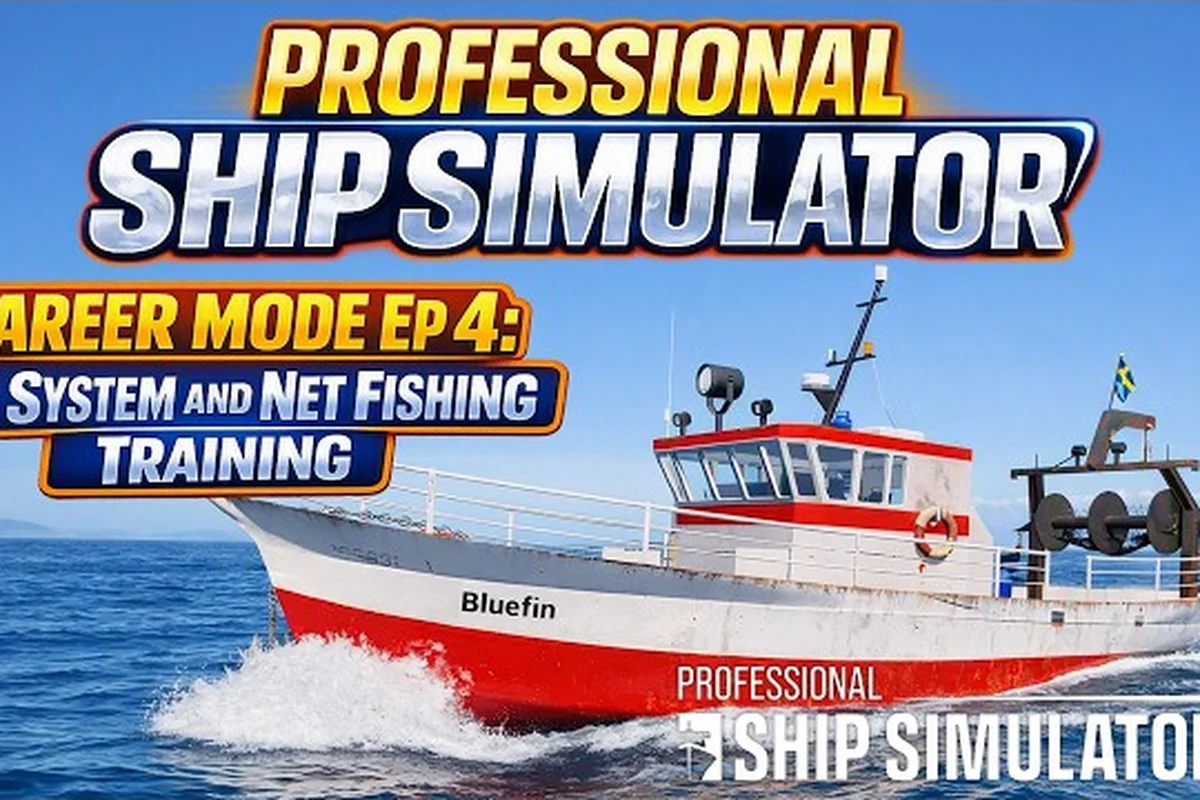
The Professional Ship Simulator fishing trawler is the smallest working vessel most new captains will steer first, and it doubles as a forgiving training ground for handling nets, winches, and harbor approaches. Because the simulation's career mode starts you on a small boat in a single harbor, the trawler is where most players build the muscle memory that later unlocks the larger container ship and LNG tanker licenses. This guide breaks down every system you need to know to turn that starter hull into reliable income before trading up to bigger tonnage.
Why the Professional Ship Simulator Fishing Trawler Is the Best Starter Boat
Career-Mode Starting Point and Early Earnings
When you begin a new career in Professional Ship Simulator, you spawn in a small harbor with exactly one boat available, and the fishing trawler small is almost always that boat. According to the official Professional Ship Simulator features page, career progression is built around earning credits and XP from missions, then spending those rewards on licenses that unlock larger hulls. The trawler's small size and forgiving handling curve make it the lowest-risk way to bank that early cash.
Players who skip directly to a rescue vessel small or tug boat often regret it because those boats demand precise berthing skills the game has not yet taught you. The trawler, by contrast, tolerates a sloppy approach while still requiring real seamanship to actually catch fish.
Comparison with Other Starter-Eligible Hulls
The following table compares the boats new captains can realistically access in the first few hours of career mode, drawn from the available ship classes knowledge base. It ranks each hull on three practical axes rather than raw size: how forgiving the handling stays while you are still learning the bridge, the realistic income ceiling once you are licensed for it, and the license tier that gates it behind career progression. Read it top to bottom as a progression ladder instead of a shopping list, because the tier column decides which hulls the harbor office will actually offer you work for.
| Vessel Class | Typical Role | Beginner Friendliness | Income Ceiling | License Tier |
|---|---|---|---|---|
| Fishing trawler small | Net fishing, light harbor work | Very high | Moderate | Tier 1 (starter) |
| Tug boat | Harbor assistance, ship handling | Medium | Moderate | Tier 1–2 |
| Rescue vessel small | SAR drills, pilot pickup | Medium | High | Tier 2 |
| Offshore vessel | Platform supply runs | Low | High | Tier 3 |
| Container ship | Cargo route income | Very low | Very high | Tier 4+ |
| Bulk carrier | Bulk cargo runs | Low | High | Tier 4+ |
| LNG tanker | Liquefied gas transport | Very low | Very high | Tier 5 |
If your goal is steady credits without losing your boat to a fender-bender in week one, the trawler is still the safest pick. If you would rather push your handling skills early, a ship types breakdown for Professional Ship Simulator explains how the larger hulls diverge in physics behavior.
Bridge Layout and Clickable Systems on the Trawler
Helm, Throttle, and Bow Thruster
The trawler bridge uses the same clickable ENIS (Electrical and Information System) layer as the bigger ships, but the number of components is far smaller. You will find the main engine telegraph, a rudder command indicator, and a bow thruster toggle clustered around the helm chair. New captains should spend their first ten minutes just toggling each control while moored, because the click zones behave consistently across the rescue vessel small and the coast guard ship hulls you will license later.
The throttle detents in the trawler are spaced at roughly 25%, 50%, 75%, and full ahead, which makes it easy to keep the boat at a trolling pace of 3 to 5 knots while you work the nets. Holding the engine at 75% while turning sharply in a harbor basin is a common cause of black-smoke stalls, so back off the telegraph a moment before you begin a turn.
Radar, AIS, and Sonar Setup
The trawler's radar and AIS readouts are simplified compared to a container ship or bulk carrier bridge, but the CPA (Closest Point of Approach) alarm still works the same way. Set your guard ring to 0.25 nautical miles for harbor work and 0.5 nm for open-water fishing. The sonar display, which is critical for spotting fish shoals beneath the hull, has three range presets: 200 m, 500 m, and 1 km.
A practical sonar routine for beginners is to drop the range to 200 m while approaching a known fishing ground, then widen to 500 m once you have a mark on the screen. According to community testing on the beta branch, sonar returns at the 200 m range can occasionally drop out near seabed structures, so widening the range every few minutes is a safe habit.
Fishing Mission Workflow: From Net Deployment to Port Return
Step 1 — Request the Mission Over VHF
Every fishing mission in the sim starts with a VHF call to the harbor office. The available task list is filtered by your current license, and the professional ship simulator fishing trawler will only see trawler-rated jobs until you earn a higher tier. Accept the mission, then check the chart plotter for the green waypoint marker that indicates the fishing ground.
Step 2 — Transit at a Stable Heading
Transit to the waypoint at a steady 8 to 10 knots, which keeps fuel burn low and lets you practice keeping the boat on a constant compass bearing. Drift from wind and current is more noticeable on the trawler than on heavier vessels, so small course corrections every 30 seconds are normal. The pilot ship inspection mission entry in the official NauticXP pilot inspection reference explains how professional captains use landmarks and heading marks to correct this drift, and the same skill applies here.
Step 3 — Deploy the Net
Once the sonar shows a viable mark, slow the engine to 2 to 3 knots and head up to the wind so the net deploys cleanly off the stern. The trawler's net winch is a dedicated control on the bridge, not just a button on the deck. Pull the winch lever to deploy, monitor the tension gauge, and do not let the net run out faster than 1 m per second or the cod-end will snag on the prop.
| Phase | Engine Setting | Winch Action | Crew Attention |
|---|---|---|---|
| Net deployment | 2–3 knots ahead | Deploy at 1 m/s | Watch tension gauge |
| Trawling drift | 3–4 knots ahead | Hold, monitor angle | Watch sonar for shoal |
| Net recovery | Neutral, slight sternway | Haul at 0.5 m/s | Clear debris, sort catch |
| Return to harbor | 8–10 knots | Stow net fully | Check harbor VHF traffic |
Step 4 — Haul and Sort the Catch
Hauling takes longer than deploying because the catch has to be cleared from the mesh as it comes aboard. The sort happens on the aft deck, and while the simulation handles the bookkeeping, you still need to keep the boat into the wind so the deck does not get dangerously slick. Once the net is fully stowed, the mission log updates with your catch weight, and a new waypoint is plotted for the return harbor.
Step 5 — Deliver and Cash Out
Dock at the same harbor that issued the mission, align the gangway, and throw the mooring lines as described in the pilot inspection procedure. The harbor office pays out on delivery, and the XP bump counts toward your next license threshold. If you want a steady income stream while saving for a bulk carrier license, repeat the cycle two or three times per in-game day.
Earning Faster: Fishing vs. Alternative Small-Hull Missions
Income Rates by Mission Type
Not every small-boat mission pays the same, and the spread matters more than the headline because fuel costs and repair bills come out of the same wallet. The table below summarizes community-reported average payouts for trawler-eligible jobs versus the alternative side gigs available in the same tier, weighing each payout against the risk of hull damage and the real time the run consumes. Payouts are based on community data and may shift with patches, so treat the figures as a ranking of effort against reward rather than a fixed contract rate.
| Mission Type | Average Payout | Risk Level | Time to Complete |
|---|---|---|---|
| Short fishing run | Low to moderate | Low | 30–45 min |
| Extended offshore fishing | Moderate | Medium | 60–90 min |
| Harbor tug assist (with tug license) | Moderate | Medium | 20–30 min |
| Pilot pickup (with pilot license) | High | Medium | 30–40 min |
| SAR drill (with rescue license) | High | High | 45–75 min |
The fishing trawler is the lowest-stress way to learn the systems because a botched net deployment costs gear rather than reputation, and the hull is cheap enough that a clumsy berth stays survivable. It is not a one-trick boat, though: once you hold the right tier the same hull can be repurposed for short harbor runs, and a fishing mission walkthrough for Professional Ship Simulator shows how the transit, VHF, and docking habits you build while trawling carry straight across to those jobs. Captains who treat the trawler as a general-purpose trainer rather than a fishing-only asset tend to reach their next license with noticeably fewer repair bills.
When to Switch Up to a Larger Hull
Once your credit total comfortably exceeds the cost of the next license, it is worth trading up. A good rule of thumb, reported by players in the community, is to keep at least three full mission payouts in reserve before buying a new license so a single bad delivery does not bankrupt you. The first major upgrade most captains pick is the rescue vessel or offshore vessel, because those hulls pay noticeably more per mission while still being forgiving to drive.
A detailed comparison of how each larger hull scales in length, cargo capacity, and cruise speed is covered in the largest ships guide for Professional Ship Simulator, which is useful context if you are weighing the jump straight from a trawler to a container ship.
Common Mistakes and How to Avoid Them
Mistake 1 — Trying to Fish in Heavy Weather
The trawler has a low freeboard and a relatively small displacement, which means swells over about 1.5 m will start shipping water over the deck. If the in-game weather forecast shows winds above 20 knots, return to harbor and wait it out. The bigger offshore vessel and coast guard ship hulls handle rough weather far better, so saving those missions for licensed boats is the safer long-term play.
Mistake 2 — Leaving the Net Out During a Turn
Turning sharply with the net still in the water is the most common way new players damage their gear. The tension gauge will spike, and the net will either wrap the prop or tear. Slow to neutral, complete the turn at dead slow, then resume trawling on a steady heading. A practical trawler-focused reference that covers net handling in more detail is the Professional Ship Simulator trawler guide.
Mistake 3 — Ignoring the Bow Thruster
The bow thruster on the trawler is small, but it is the single best tool for parallel parking at a crowded fishing dock. Toggle it on, give a short burst to kick the bow sideways, and then immediately release. Holding the thruster on for more than a few seconds will trip the breaker and leave you without bow control at the worst possible moment.
Preparing for Your First License Upgrade
Skills to Practice Before Moving Up
Before you spend credits on a bigger hull, make sure you can reliably do four things with the trawler: berth alongside a dock in 15 knots of crosswind, deploy and recover a net without a snag alarm, monitor radar CPA while talking on VHF, and shut down the engine safely without draining the start battery. These four skills transfer almost directly to the rescue vessel, offshore vessel, and coast guard ship bridges, which all share the same ENIS layout philosophy.
What Changes When You Move to a Container Ship or LNG Tanker
The jump from a trawler to a container ship is dramatic. The bridge gains an integrated cargo monitoring console, the engine telegraph gets more detents, and the stopping distance from full ahead to dead in the water is measured in nautical miles rather than boat lengths. The Professional Ship Simulator ship types explained article walks through every bridge in detail if you want a preview before committing credits.
The LNG tanker is the other end of the spectrum, where the cargo is cryogenic and the smallest procedural error can trigger a venting animation that costs real money in the simulation. New captains who master the trawler first generally report a much smoother transition to LNG because they already understand how the ENIS power and distribution systems work.
Frequently Asked Questions
Is the Professional Ship Simulator fishing trawler really the best starter boat?
Yes, for most new captains the fishing trawler small is the safest and most forgiving starter hull. It has a low top speed, a small turning radius, and a forgiving freeboard that lets you learn berthing and bridge systems without risking a catastrophic bow collision. Once you have saved enough credits and XP, the natural next step is the rescue vessel or offshore vessel tier.
How long does a single fishing mission take on the trawler?
A standard short fishing mission usually takes 30 to 45 minutes of real time, including transit, net deployment, trawling drift, net recovery, and the return leg to harbor. Extended offshore runs can stretch to 60 to 90 minutes, but they also pay roughly twice as much per delivery, so they are worth the extra time once you are comfortable with the workflow.
Can I use the fishing trawler for missions other than fishing?
The trawler is technically capable of running harbor assist and short transport jobs, but it lacks the deck fittings and tow gear for serious tug work, so payouts are usually lower than the dedicated tug boat or rescue vessel small. The sim filters most non-fishing missions behind the appropriate license anyway, so fishing is the practical default until you upgrade.
What is the fastest way to earn credits for a bigger license?
The fastest credit grind reported by community players is a loop of two or three short fishing runs per in-game day, combined with a single harbor assist run whenever one is offered. This routine keeps fuel costs low, builds XP steadily, and avoids the repair bills that come from pushing the trawler into weather or missions it is not licensed for.
Do I need a joystick or can I play with mouse and keyboard?
The trawler is fully playable with mouse and keyboard, and many new captains prefer it for the clickable ENIS controls because the mouse pointer makes it easy to toggle every switch on the bridge. A joystick with a twist rudder is helpful for the larger container ship and bulk carrier hulls, where the rudder response is more sensitive, but it is not required for the starter trawler.