
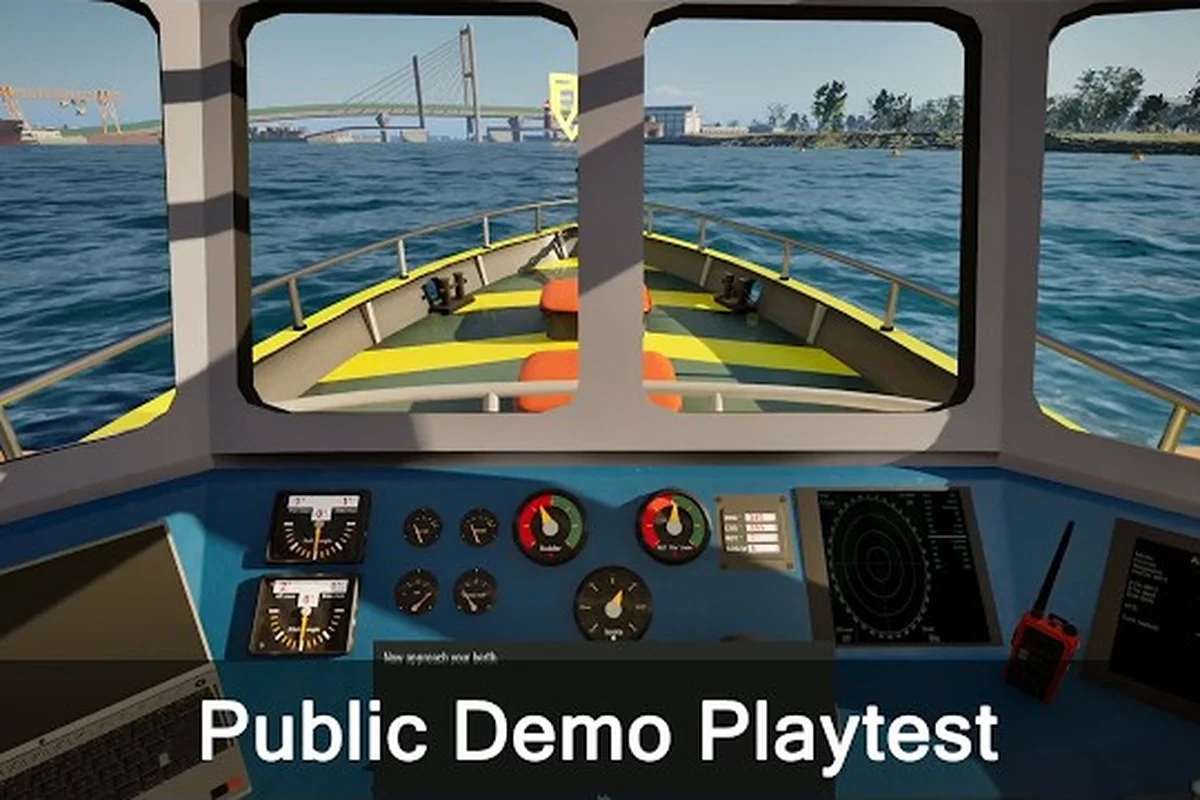
The Professional Ship Simulator scenario editor lets captains handcraft their own runs instead of relying on what the radio menu doles out, and that single feature changes how every credit in your account is earned. By dialing in weather, traffic density, vessel class, and failure conditions, you can build a training ground, a farming route, or a punishing stress test that pushes your crew to the edge of a mission fail. Below is a full walkthrough of what the editor exposes, how each dial affects your payouts, and the setups that consistently deliver the best balance of risk and reward.
What the Scenario Editor Actually Lets You Build
The scenario editor in Professional Ship Simulator is not just a "play any mission again" toggle. According to the official knowledge base, the editor exposes the same parameters that drive the standard mission system, so the missions you assemble sit on the same scaffolding as the open world contracts you would otherwise pick up at a harbor.
The scenario editor surfaces seven editable parameters that map one-to-one onto the live simulation variables, and because every mission type in Professional Ship Simulator derives its credit payout from these same inputs, tweaking them is the fastest way to design a custom contract without touching the mission scripts themselves. The table below breaks down each parameter, the simulation knob it actually drives, and the realistic range you'll want to stay within before the run stops being profitable and starts being punishing — a 3x to 4x stack is achievable, but it usually requires combining Hard difficulty with at least a storm preset and a night time-of-day setting.
| Parameter | What it controls | Typical range | Effect on credits |
|---|---|---|---|
| Weather preset | Wind speed, swell, fog, precipitation | Calm → Storm | Harder weather = larger credit multiplier |
| Time of day | Visibility, traffic density, lighting | Dawn to Night | Night runs pay a stealth/precision bonus |
| Vessel class | Ship length, tonnage, maneuverability | Tug → LNG carrier | Larger hulls unlock bigger transport payouts |
| Mission type | Transport, tow, rescue, fishing, pilot | 5 core types | Each type has its own base reward bracket |
| Difficulty | AI behavior, traffic realism, failure tolerance | Easy / Normal / Hard / Custom | Hard mode roughly doubles base credits |
| Region | Open world harbor and route | Ralswiek and beyond | Longer routes add distance bonus |
| Failure conditions | Whether collisions, groundings, or timeouts end the run | Lenient / Standard / Strict | Strict mode punishes mistakes with XP loss |
These parameters stack. A storm-weather night run in a tanker at Hard difficulty on a long route can easily hit 3x to 4x the credit reward of a calm daytime tow at Easy, which is the core reason experienced captains stop running the default contracts and start designing their own.
Editor vs. Standard Mission System
It is worth pausing on what the editor is, and what it is not, because players regularly confuse it with the regular mission list. The default mission system dishes out contracts through the radio menu when you dock at a harbor, and every ship class has a specific set of mission types it can accept. The scenario editor bypasses the radio entirely and lets you start a run with the exact conditions you select.
| Aspect | Standard missions | Scenario editor |
|---|---|---|
| Trigger | Radio menu at harbor | Player-initiated from main menu |
| Weather | Locked to regional conditions | Fully selectable preset |
| Difficulty | Fixed by mission tier | Easy / Normal / Hard / Custom |
| Failure conditions | Standard simulator rules | Lenient / Standard / Strict |
| Credit multiplier | 1x base | 1x to ~4x base depending on stacking |
| Best for | Story progression, slow XP gain | Targeted credit farming, skill practice |
In practice, most captains use the standard mission system to grind through tutorials and the early career ranks, then graduate to the scenario editor once they understand how each parameter influences their bottom line. By that point they have internalized the credit multiplier formula, weather penalties, and how failure-condition tiers interact with the radio contract reward curve, so stacking weather + difficulty bonuses in the editor no longer feels like guesswork. The trigger for switching is usually the moment a player wants to isolate a single variable, like practicing harbor approaches in storm conditions without burning fuel on a full standard contract, which the scenario editor enables in under a minute from the main menu.
Designing a Credit-Farming Scenario From Scratch
The most common reason to open the scenario editor is to figure out how to earn credits faster, and the fastest payouts come from stacking the right modifiers. Open world missions reward consistency, but the editor rewards the opposite: leaning into every multiplier the game gives you at once.
Step 1: Pick a Mission Type With a Strong Base Payout
Not every mission type pays equally. According to community data, transport and rescue contracts tend to sit at the top of the credit bracket, while fishing and harbor-assist jobs sit lower but compensate with shorter run times. Pick transport or rescue if you want raw credits per hour; pick fishing if you want rapid completion cycles.
| Mission type | Base credit bracket | Avg run length | Skill floor |
|---|---|---|---|
| Transport (cargo) | High | 15-30 min | Medium |
| Rescue / assist | High | 20-40 min | High |
| Tow / pilotage | Medium-High | 10-25 min | Medium |
| Fishing | Medium | 8-15 min | Low |
| Harbor assist | Low-Medium | 5-10 min | Low |
Step 2: Set Weather to Push the Multiplier
Weather is the single biggest swing factor for credits. A storm run can nearly double the base reward on its own, and combining it with night visibility creates a layered bonus that the editor calculates as a separate multiplier. The trade-off is that wind, swell, and current all push your vessel harder, which means more chances for a mission fail through grounding or collision.
Start with a Moderate weather preset on a route you have already cleared cleanly in open world, because the familiar coastline lets you isolate the swell and current variables without the noise of unknown hazards. Once you can finish that run in the scenario editor with no mission fail events and a steady credit multiplier, bump the dial to Storm and re-test; the editor will recompile wind resistance and wave height against your vessel's displacement, giving you a measurable read on how much margin you actually have before grounding or collision penalties start eating into the reward bonus.
Step 3: Stack Difficulty, Failure, and Time of Day
Difficulty is the second big lever. Hard difficulty raises the credit reward meaningfully, but it also tightens AI traffic and the tolerance window for mission tips like "deliver within X minutes." Combine it with Strict failure conditions if you want to be punished for any collision or grounding, or stay on Standard if you just want the credit boost.
| Difficulty | Credit bonus (approx) | Risk profile |
|---|---|---|
| Easy | 0.5x base | Beginner-friendly, low credit |
| Normal | 1x base | Default open world feel |
| Hard | ~2x base | Tight windows, heavier traffic |
| Custom (Hard + Strict + Storm + Night) | ~3x to 4x base | Veteran-only, frequent mission fail risk |
Step 4: Lock In Vessel Class and Region
Your vessel determines what mission types you can accept at all. The knowledge base notes that each ship class has specific mission capabilities, which means a tug cannot run an LNG transport scenario no matter how the editor is configured. Pick a hull that matches the mission type and route length, then move on to region selection.
Longer routes across multiple regions pay a distance bonus, but they also multiply your exposure to traffic, weather shifts, and fatigue. The honest best-case scenario for steady credit farming tends to sit in the 15-25 minute range, which is long enough to stack modifiers but short enough to recover from a single mission fail without losing your whole evening.
Common Reasons Custom Scenarios End in a Mission Fail
The professional ship simulator mission fail screen is brutal because you lose XP in addition to the credits you would have earned, and the editor amplifies that penalty by stacking difficulty. Understanding where runs actually fall apart is the fastest way to design scenarios you can clear.
Sailing Into a Storm You Cannot Handle
Storm weather at Night on a Hard transport mission is a rite of passage, and most new scenario designers wipe out here in their first attempt. Wind pushes the bow off course, current drags the stern, and visibility drops to the point where AIS contacts appear with no time to react. Community reports describe a typical first run as "survived to the harbor entrance, then grounded on the breakwater."
Ignoring the Tighter Failure Conditions
Strict mode is the silent killer. On Standard failure rules, a light bump against a buoy costs you a small XP penalty and the mission continues. On Strict, the same bump can end the run outright, especially in rescue and pilotage scenarios where the contract specifies a damage threshold. Players who flip on Strict without testing their vessel first tend to burn an hour of progress in a single mistake.
Mismatched Ship Class and Mission Type
The editor will let you select almost any combination, but the mission system under it still respects the rule that certain ship classes only accept certain mission types. Trying to run a ferry scenario in an LNG carrier, or a tow job in a fishing trawler, will either refuse to launch or fail at the first waypoint. The Professional Ship Simulator mission list covers every ship-to-mission pairing if you want to double-check before you commit credits to a setup.
Fatigue and Time-of-Day Math
Night runs pay well because they are harder, but they are also where the simulation punishes inattention the hardest. Most players new to the editor find that their first 3 to 5 night scenarios end in mission fail through minor collisions, and they recover by dialing the time of day back to Dusk while keeping the weather and difficulty modifiers active.
Mission Tips That Make Custom Scenarios Easier to Clear
Building the scenario is only half the work. The other half is how you sail it, and the same mission tips that carry you through open world contracts apply with extra weight when the editor has stacked three or four modifiers at once.
Read the Briefing Twice, Then Read It Again
Custom scenarios reuse the standard mission briefing format, which means the radio call at scenario start tells you the exact cargo, route, time limit, and any special conditions. Players who skim the briefing and head out immediately tend to miss "deliver without assistance" or "no harbor tug" clauses, both of which will end the run the moment you violate them.
Use the Scenario to Practice a Specific Skill
A lot of captains treat the editor purely as a credit farm, but it is also the most efficient practice tool in the game. Because you control the weather, traffic, and difficulty, you can isolate a single skill — docking a tanker in swell, navigating a tight harbor entrance at night, or recovering from a grounding — and repeat it until your muscle memory locks in. The Professional Ship Simulator tips and tricks guide covers the foundational skills worth drilling first.
Keep One Backup Vessel at a Lower Rank
The fastest way to learn the editor is to run a Custom Hard scenario in a ship you are comfortable with, fail it, and then re-run the exact same scenario on Normal to confirm what went wrong. Players who grind their captain rank in a single high-end vessel lose this safety net, which is why credit farming in Professional Ship Simulator usually benefits from a secondary hull kept one tier below the active captain rank.
Track Your Clear Rate Per Preset
Once you have run a scenario a few times, write down how often you clear it and at what credit payout. A 50% clear rate at 3x multiplier is the same expected value as a 100% clear rate at 1.5x, but the former teaches you more skills per hour. After 10 to 15 runs you will have a personal tier list of which editor setups are worth your time and which ones are traps.
Advanced Editor Setups Worth Saving
Once the basics feel routine, experienced captains tend to save a handful of setups that consistently deliver strong credits per minute ratios, balanced skill ceilings, and high replay value inside the professional ship simulator scenario editor — typically combinations like a 20-knot coastal run with a 15% risk modifier for steady payouts, or a night-time harbor approach with strict timing windows that reward practiced steering over raw speed, since these templates can be reused as scaffolding for custom open world missions and tweaked rather than rebuilt from scratch.
The "Storm Pilotage" Loop
Set weather to Storm, time to Night, difficulty to Hard, mission type to Pilotage or Tow, and pick the longest open water route your current vessel can handle. The distance bonus plus the storm modifier plus the night bonus stacks into one of the highest credit-per-minute payouts in the editor, and the skill ceiling is high enough that you can run it for weeks before it stops teaching you something new. This is the kind of setup the Professional Ship Simulator mission payouts guide flags as a top earner once you have unlocked the bigger tug and pilotage hulls.
The "Calm Training" Loop
Set weather to Calm, time to Dawn, difficulty to Easy, and mission type to Transport on a short route you have already cleared in the open world. The credit multiplier is poor, but the goal here is to memorize a route end to end so you can later run the Storm version of the same path without thinking about navigation. The Calm Training loop is also the cleanest way to test a new ship class before you risk it in a High-difficulty scenario.
The "Failure Farming" Loop
Some players use the editor the opposite way: they design scenarios that are meant to end in a mission fail, so they can practice the recovery loop, the harbor tug request, and the XP penalty climb. Strict failure conditions plus Heavy traffic at Dusk in a busy harbor is a brutal but effective setup for captains who want to internalize the penalty system before they push their Professional Ship Simulator captain rank into the harder career tiers.
How the Editor Connects to the Open World
A custom scenario does not exist in a vacuum. Every run you complete, fail, or abandon feeds back into your open world career in three ways: through credits, through XP, and through the unlocks tied to your harbor access. The editor is essentially a way to compress weeks of open world progression into a single sitting, provided you can clear the scenarios you design.
The mission system itself, as described on the official NauticXP mission system notes, is the same system that powers the radio-menu contracts you pick up at harbors, which is why editing weather and difficulty in a custom scenario changes the reward calculations in exactly the way the standard contracts would if the simulation happened to throw those conditions at you naturally.
That shared backbone is also why the editor is the best place to learn how Professional Ship Simulator open world missions actually behave under stress. Once you can clear a Storm Night Hard transport scenario in the editor, the radio-menu version of the same route feels routine, and the credits you earn while grinding the open world stop disappearing into mission fail penalties.
Frequently Asked Questions
What is the Professional Ship Simulator scenario editor used for?
The Professional Ship Simulator scenario editor is a player-driven mission builder that lets captains set weather, time of day, vessel class, mission type, difficulty, region, and failure conditions before launching a run. It uses the same mission system as the open world contracts, so any scenario you build functions like a customized version of a Professional Ship Simulator mission you would otherwise pick up at a harbor.
How do you earn the most credits in a custom scenario?
The highest credit payouts come from stacking modifiers: Storm weather, Night visibility, Hard difficulty, Strict failure conditions, and a long-route Transport or Rescue mission type. With all five modifiers active, a custom scenario can pay roughly 3x to 4x the base reward of a calm Easy daytime run, which is the fastest way to grind credits in the Professional Ship Simulator scenario editor.
Why do custom scenarios end in a mission fail so often?
Most scenario-based mission fails come from three causes: sailing into a Storm before you have practiced the route, leaving failure conditions on Strict without testing your tolerance first, or mismatching a ship class to a mission type the vessel cannot actually perform. Calibrating one modifier at a time is the fastest way to bring your clear rate back up.
Can the scenario editor replace open world missions?
The editor complements rather than replaces open world missions. It is the best tool for targeted credit farming and skill practice, but Professional Ship Simulator open world missions are still required to unlock new harbors, progress your career rank, and access the larger vessel classes that the editor eventually lets you use in your custom scenarios.
Is the Professional Ship Simulator scenario editor good for new players?
Yes, but start on Easy difficulty with Calm weather and Dawn visibility. Treat the early scenarios as training, not farming, and graduate to Hard Storm Night runs only after you can clear the same route in the open world without a mission fail. The editor is the most efficient practice tool in the game once you respect the modifiers.