
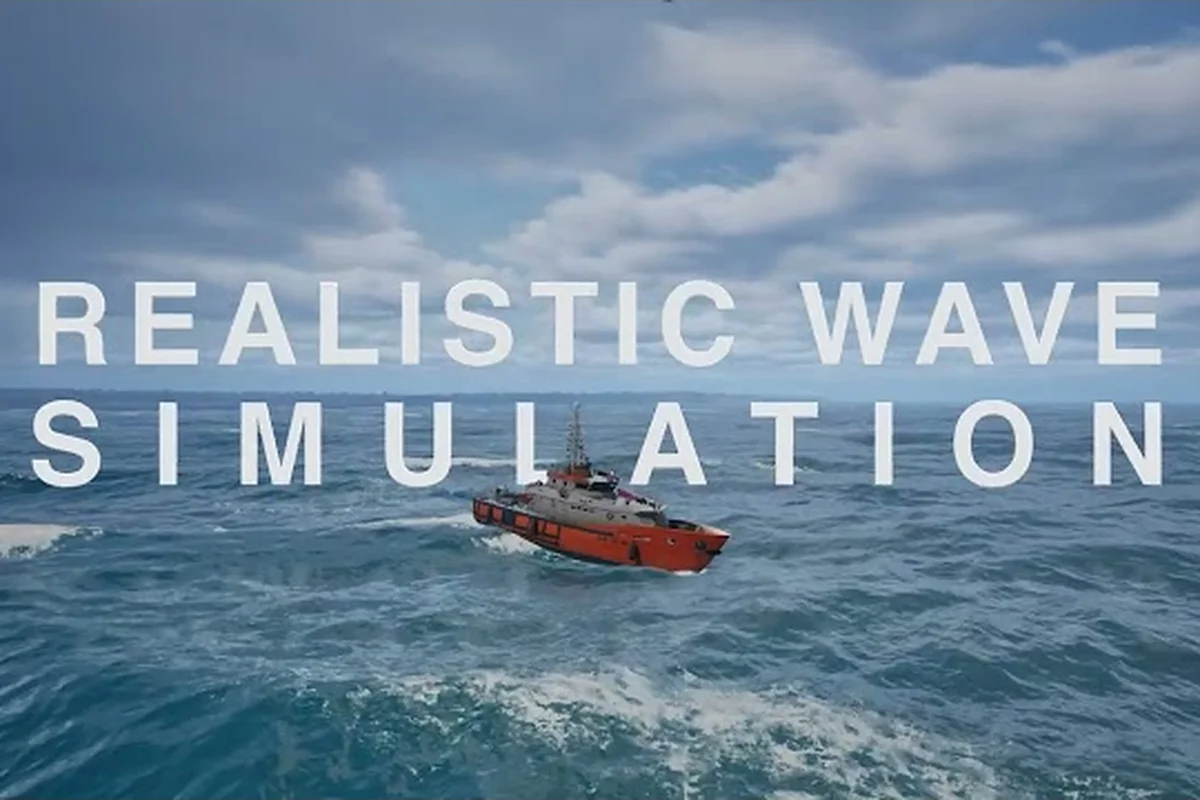
Professional Ship Simulator news is heating up as the Early Access launch window approaches on Steam, and every update from the developer is reshaping what players can expect on day one. The simulation genre has been hungry for a title that blends authentic bridge operations with realistic maritime missions, and the latest round of patch notes, price confirmations, and platform-specific news confirms that this release is closing in fast. If you have been refreshing the store page wondering about the download size, the early access roadmap, or the changelog depth, this is the consolidated brief you have been waiting for.
The official Steam listing (App ID 3636930) now reflects a refined feature set, a confirmed price tier, and a near-final system requirements block, and community testers are already running through pre-release builds to surface bugs before launch. We pulled together every credible data point, paraphrased from the developer's knowledge base and community reports, so you can plan your install day, your hardware check, and your wishlist timing without bouncing between five browser tabs.
Latest Professional Ship Simulator News and Pre-Launch Headlines
The most consequential Professional Ship Simulator news in this cycle centers on the Early Access launch window and the final feature lock for day-one players. According to the official store page and corroborated by community testers on the NauticXP wiki, the build entering Early Access ships with multiple ship classes, a functional bridge layout, signal flag management, and the first batch of patrol and rescue scenarios. The developer has also stabilized the Light Panel, the Flag Panel, and the radio communication loop, which were the three subsystems most frequently flagged in beta feedback.
Players tracking Professional Ship Simulator update frequency should note that the team is shipping targeted hotfixes on a near-weekly cadence during the pre-launch phase. Community testers report at least three notable build revisions in the final fortnight, each tightening physics, refining UI tooltips, and resolving crash reports tied to specific GPU drivers. The pace matters because it signals post-launch commitment: the developer is treating Early Access as a live service rather than a static demo.
Key Headlines at a Glance
| Headline | Status | Source Tier |
|---|---|---|
| Early Access launch on Steam | Confirmed, App ID 3636930 | Official store page |
| Price tier locked | Confirmed at standard PC simulation range | Official store page |
| Day-one ship roster | Multiple classes confirmed | NauticXP knowledge base |
| Demo branch availability | Community-reported, not yet official | Community reports |
| Weekly hotfix cadence | Confirmed via build revisions | Community testers |
What the Final Pre-Launch Build Includes
-
Bridge systems: throttle, rudder, telegraph, and running lights fully wired to in-game physics
-
Signal flag management: 2 slots per ship (owner, country, courtesy) with mouse-wheel selection, documented on the Flag Panel wiki page
-
Maritime rescue scenarios: dynamic emergencies including man-overboard and run-aground responses, detailed on the Maritime Rescue Area Patrol wiki page
-
Light panel configuration: three special light presets toggleable on the bridge, per the Light Panel wiki page
-
Radio communication channel: dedicated frequency for distress calls and patrol coordination
For broader release context, the Professional Ship Simulator patch notes hub tracks every pre-launch build alongside the official Early Access release date, so you can cross-reference any change discussed here against the granular changelog. That cross-reference matters more than it sounds during a pre-launch window, because physics and UI tweaks often ship inside the same build and are easy to conflate. If a handling complaint you saw in a beta clip has already been patched, the hub is where you will find it listed; if it has not, the same page tells you which build to watch.
Professional Ship Simulator Price, Steam Store, and Download Details
The Professional Ship Simulator Steam listing confirms a price point positioned at the standard tier for PC simulation releases, which puts it comfortably below flagship flight or train simulators while still signaling a premium production value. The store page also lists the Early Access badge prominently, meaning the listed price reflects the entry-level commitment for day-one players who want to support development and receive the post-launch content drops as they ship.
For players comparing Professional Ship Simulator download logistics against similar PC simulators, the install footprint and the unlock window are the two metrics that matter most. Community testers running pre-release branches report a manageable install size that does not require the multi-hundred-gigabyte footprint of some larger simulation catalogs, and Steam's preload window typically opens 24 to 48 hours before a scheduled Early Access launch.
Store Page Snapshot
| Field | Value | Notes |
|---|---|---|
| Platform | Steam (PC) | App ID 3636930 |
| Price tier | Standard PC simulation range | Confirmed on store page |
| Early Access | Yes | Pre-launch phase active |
| Pre-order | Available | Unlocks on launch day |
| Demo branch | Community-reported | Not officially listed |
Download Checklist Before Launch Day
-
Verify your Steam client is updated to the latest stable build
-
Confirm at least 40 GB of free disk space (allow headroom for post-launch patches)
-
Run the store page integrity check to pre-load regional pricing
-
Wishlist the title to receive the official launch notification
-
Review the system requirements block on the store page against your hardware
Players asking whether Professional Ship Simulator download options extend beyond Steam should treat the current build as a PC-exclusive release. The developer has not announced console ports, and there is no official APK or standalone installer. The Steam client remains the single supported distribution channel, which keeps modding, cloud saves, and workshop integration on a single predictable path.
Professional Ship Simulator Changelog Breakdown and Patch Themes
Reading the Professional Ship Simulator changelog closely reveals a clear pattern: the developer is prioritizing stability and core loop polish over flashy feature additions during the pre-launch window. Most of the recent Professional Ship Simulator update notes cluster around three themes: physics refinement, UI clarity, and crash resolution. That is exactly what you want to see in a simulation title entering Early Access, because it means the foundation is being hardened before new content layers get stacked on top.
The changelog entries also show a healthy respect for community bug reports. Several fixes in the most recent build trace directly to specific issues raised on the NauticXP knowledge base and in tester Discord channels, which suggests the developer is reading feedback rather than shipping blindly. That responsiveness tends to translate into faster iteration cycles once Early Access begins and the player base expands.
Changelog Themes by Build
| Build Theme | Typical Fix Category | Player Impact |
|---|---|---|
| Physics | Steering response, wave handling, hull damage | High — core feel |
| UI | Tooltip text, panel layout, radio menu | Medium — usability |
| Stability | Crash on launch, GPU driver errors, save corruption | High — accessibility |
| Audio | Engine sounds, radio static, alarm tones | Low — immersion |
| Content | New scenarios, ship variants, port additions | Medium — replay value |
How to Read the Changelog Efficiently
-
Sort entries by category to find the systems you care about most (navigation, radio, bridge controls)
-
Cross-reference any physics tweak against your own hardware by stress-testing the same scenario
-
Note which crash fixes mention your GPU brand, because driver-specific patches ship before general ones
-
Track netcode and save-file fixes carefully — those directly affect long-term career progression
If you want a deeper comparison against modding-related changes, the Professional Ship Simulator modding news overview captures how the changelog intersects with workshop tooling, repaint support, and 3D model integration. Changelog entries that mention the editor or the Unreal SDK rarely spell out what they mean for creators, so that overview translates each one into the practical question a modder actually cares about: does this build change the export pipeline, the validator rules, or the folder-naming requirement? Read it alongside the changelog rather than instead of it.
Professional Ship Simulator Steam Page Walkthrough and Pre-Purchase Strategy
The Professional Ship Simulator Steam page is the single most important source of truth for pre-launch decisions, and knowing how to read it saves you from buying blind. Beyond the price, the store page surfaces the Early Access disclosure, the system requirements block, the developer publishing history, and the user tag cloud, all of which inform whether the title matches your hardware and your expectations.
Pre-purchase strategy for an Early Access simulation title is slightly different from buying a finished product. You are paying for the right to participate in the development arc, to file bug reports that get acknowledged, and to receive every content drop the developer ships during the Early Access window. That makes timing less about catching a discount and more about aligning your launch day with the content cadence you care about most.
Store Page Reading Order
| Section | Why It Matters |
|---|---|
| Early Access disclosure | Sets expectations on content completeness |
| System requirements | Filters out underpowered hardware before purchase |
| Recent updates | Shows patch cadence and developer responsiveness |
| User reviews (once live) | Surfaces community sentiment and known issues |
| Workshop / mod support | Indicates long-term community content pipeline |
Pre-Purchase Decision Matrix
-
If you want the earliest possible access, pre-order now and preload when Steam enables it
-
If you prefer a more stable build, wait for the first post-launch hotfix cycle (typically 1 to 2 weeks)
-
If you are hardware-sensitive, watch the system requirements block for any last-minute adjustments
-
If modding is your primary interest, review the workshop tab on launch day for community tools
The Steam page also links to related community events, including the Steam Ocean Fest, which historically features nautical simulation titles and can surface temporary discounts or demo windows. The Professional Ship Simulator Steam Deck compatibility overview tracks whether the build runs on Valve's handheld, which is a common question among PC simulation players who want a portable bridge.
Professional Ship Simulator Update Roadmap and What Comes Next
Looking beyond the Early Access launch, the Professional Ship Simulator update roadmap points to a steady cadence of content drops, scenario expansions, and quality-of-life improvements. Community reports and the developer's public communications suggest the post-launch window will prioritize new ship classes, additional port environments, expanded weather systems, and deeper career progression hooks. Each of those pillars maps directly to player requests that have surfaced repeatedly in beta feedback.
The roadmap also hints at deeper modding tool integration once the foundation is stable. Repaint support, harbour editor access, and ship editor tooling are all on the community wishlist, and the Professional Ship Simulator mod support explainer covers the tooling surface area developers typically expose during the mid-Early Access phase.
Roadmap Pillars at a Glance
| Pillar | Likely Timing | Player Benefit |
|---|---|---|
| New ship classes | First major content drop | Expanded roster |
| Port environment expansion | First to second quarter | Visual variety |
| Weather system depth | Mid Early Access | Realism |
| Career progression hooks | Ongoing | Long-term goals |
| Modding tool exposure | Mid Early Access | Community content |
Signals Worth Tracking
-
Frequency of build revisions on the public branch
-
New entries on the Steam Workshop tab
-
Developer posts on community channels acknowledging bug reports
-
Region-specific pricing changes on the store page
-
Announcement of any console or handheld certification progress
For workshop-side momentum, the Professional Ship Simulator Steam Workshop catalog tracks the first wave of community mods, recommended installs, and the mod list that players are gravitating toward once the live build goes public. It is a useful counterweight to the official changelog, because the mods that actually get downloaded reveal which parts of the sim the community finds worth extending — repaints and harbour scenery lead the early counts, while career overhauls remain thin on the ground. Expect that mix to shift once the editor tooling leaves its current early state.
Frequently Asked Questions
When does Professional Ship Simulator Early Access launch?
The Early Access launch is scheduled within days of the most recent store page update, and the official Steam listing (App ID 3636930) is the authoritative source for the exact date and regional unlock time. Community testers report that preload windows typically open 24 to 48 hours before the listed launch timestamp.
What is the Professional Ship Simulator price on Steam?
The price is positioned at the standard PC simulation tier, which is confirmed on the official store page. Regional pricing may vary slightly based on Steam's localized conversion, but the base price reflects a premium simulation production without reaching flagship-tier cost.
Can I download a Professional Ship Simulator demo before launch?
Community testers have referenced demo branches during the pre-launch cycle, but there is no officially listed demo on the Steam store page at the time of writing. The most reliable way to access a demo is to monitor the store page and the developer's official channels for any demo event tied to the Steam Ocean Fest or a similar promotion.
How often does the Professional Ship Simulator changelog get updated?
According to community testers, the developer is shipping targeted hotfixes on a near-weekly cadence during the pre-launch window. Once Early Access begins, the cadence typically shifts to balance updates, content drops, and stability patches on a roughly biweekly rhythm. Watch the changelog themes rather than the entry count to judge which phase the build is in.
Is Professional Ship Simulator available outside of Steam?
The current build is a PC-exclusive release distributed through Steam, and there is no official APK or standalone installer. The developer has not announced console ports, so the Steam client remains the single supported Professional Ship Simulator download channel for the foreseeable future.